
Conversions
Track ecommerce conversions
Connect storefront events and revenue to follow the buyer journey.
- Shopify
- WooCommerce
- Stripe


What it is
Ecommerce conversion tracking combines the way a store records meaningful shopper actions with the revenue context available for that site. Premely supports Shopify storefront tracking, WooCommerce commerce events, read-only Stripe revenue and server-side payment events for custom payment systems.
Why use it
Use this guide to choose the appropriate commerce path, then define the shopper actions you want to measure as conversion goals and funnels.
Before you start
- Use one Premely tracking installation for the storefront. A second script, SDK or tag can duplicate pageviews and events.
- Choose the source that matches how revenue is confirmed for the selected site.
How to use it
- 1
Install the right storefront path
Use Shopify for a Shopify store or WordPress and WooCommerce for a WooCommerce storefront. Follow the matching installer before you define conversion reporting.
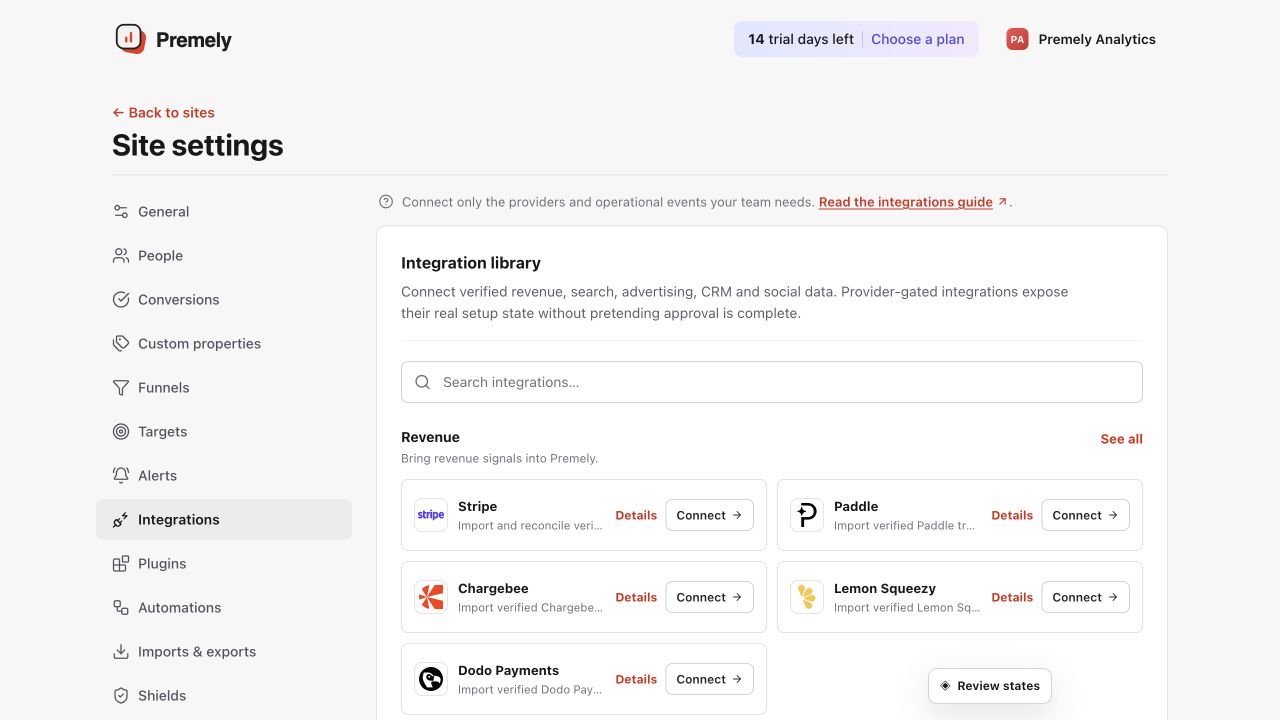
Use the native commerce or revenue connection that matches the site and verify its status before reading revenue. Shown in Premely with disposable demo data; your values will differ.
- 2
Connect the revenue source you need
Use Connect Stripe revenue for read-only Stripe revenue. For a custom server-side payment system, use Send payment events.
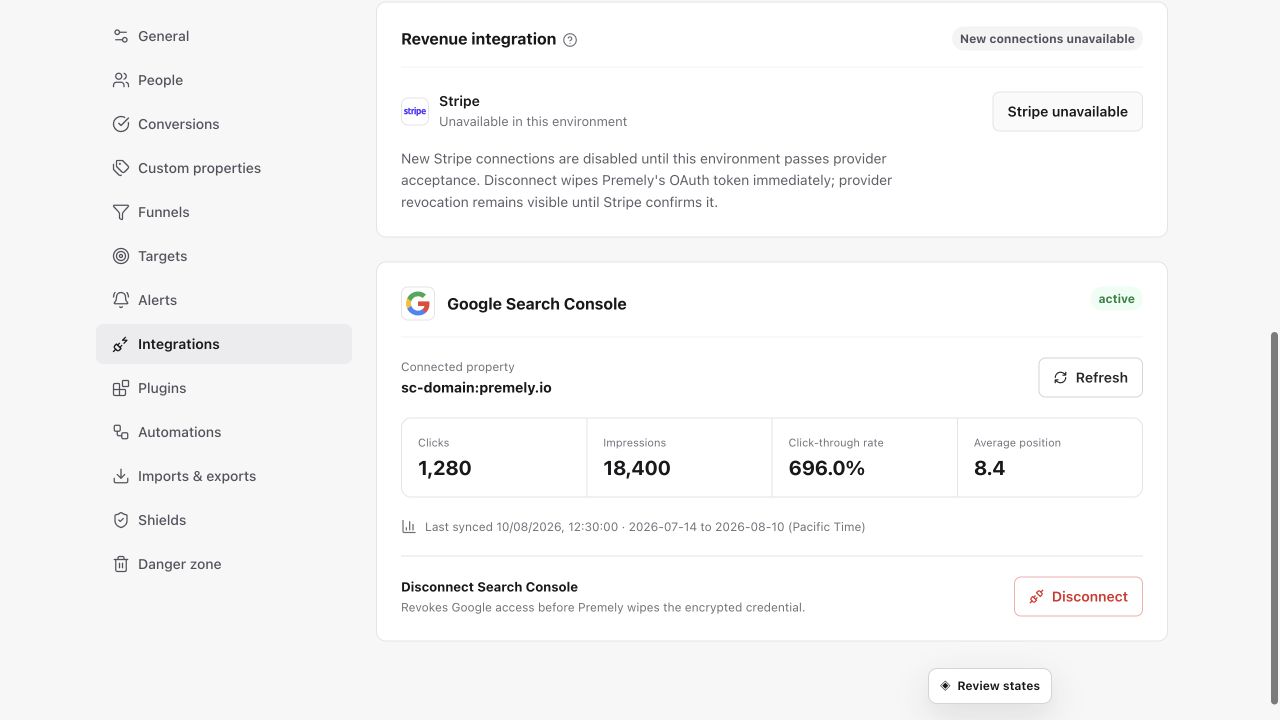
Choose the correct Stripe environment and authorize the intended account before relying on revenue data. Shown in Premely with disposable demo data; your values will differ.
- 3
Define the shopper completion
Create goals for the completed action that matters, such as a checkout completion event or confirmation-page visit. Use separate goals for separate outcomes.
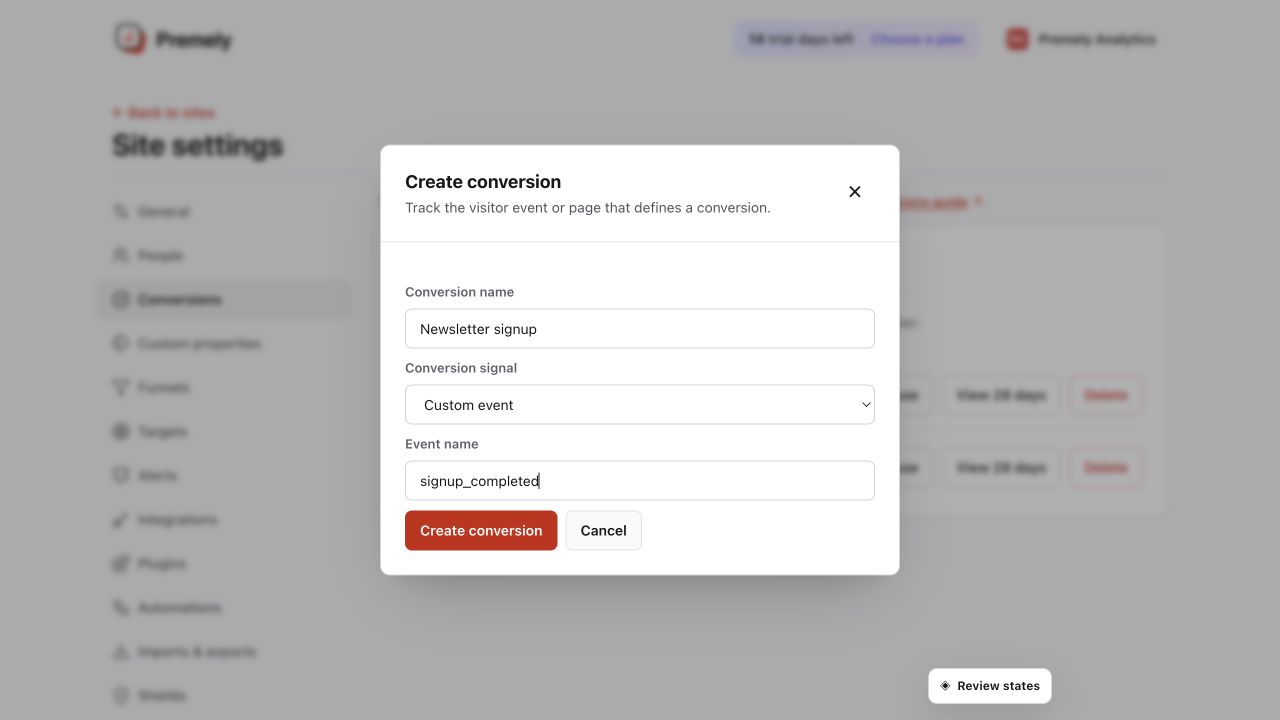
Check the conversion name and exact matching rule before saving. Shown in Premely with disposable demo data; your values will differ.
- 4
Build and review the journey
Use a conversion funnel for two ordered goals, then review conversion and revenue context together with the dashboard reports.
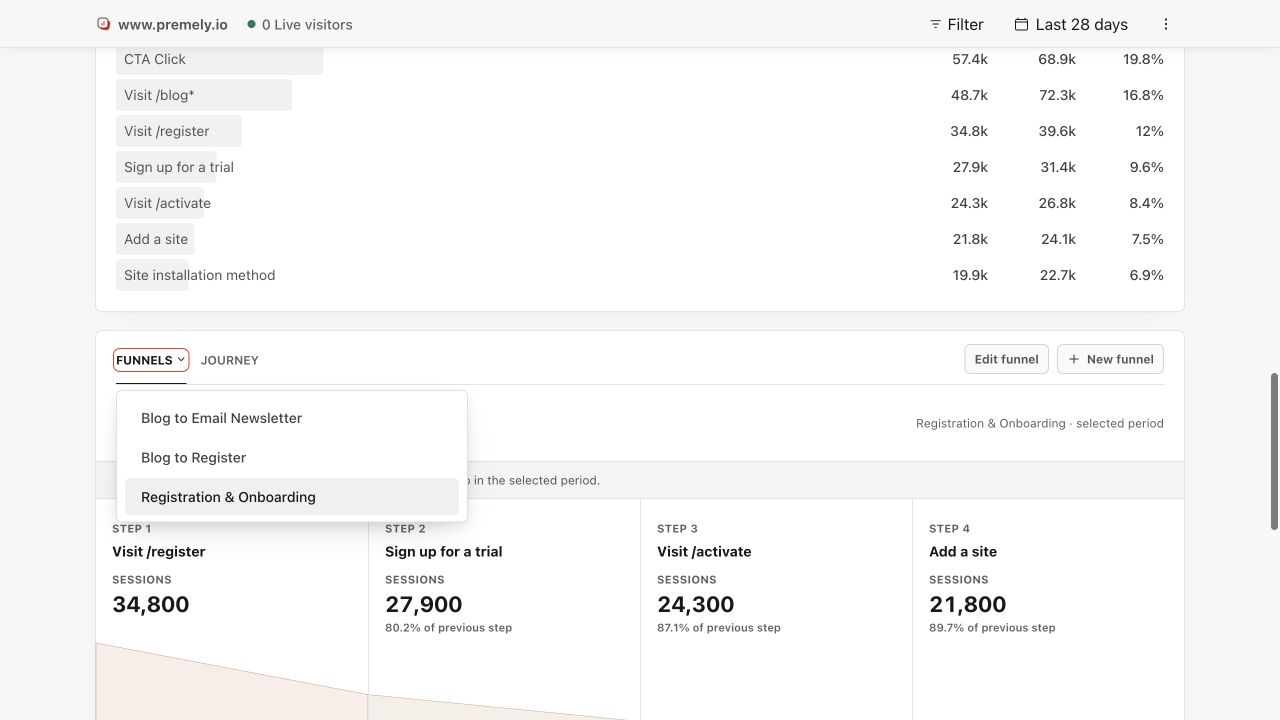
Use the dashboard funnel report to compare ordered-step completion for the selected period. Shown in Premely with disposable demo data; your values will differ.
What to expect
Storefront events and revenue have different roles
WooCommerce records supported storefront and completed-order conversion events. Stripe adds authorised revenue context without creating charges, issuing refunds or changing Stripe settings.
Currencies stay separate
Premely does not silently combine revenue in different currencies. Review each currency in its own reporting context.
Useful ways to apply this
A product launch
Review product interest, checkout progress and completed commercial outcomes after a new collection or promotion goes live.
A custom payment flow
Send confirmed server-side payment events and use goals to understand the website actions that lead to them.