
Plugins
Install Premely on Webflow
Authorize Webflow, add the site-wide Premely loader and verify the connection.
- Webflow

What it is
The Webflow connection installs one Premely loader across the authorised Webflow site without replacing unrelated custom code.
Why use it
Use this installer instead of the direct script path when you manage the site in Webflow.
Before you start
- Create the Webflow domain as a site in Premely first.
- Remove an existing Premely script and check Google Tag Manager before you connect so the site does not send duplicate pageviews.
How to use it
- 1
Choose Webflow during setup
From the installation method step, choose Connect Webflow.
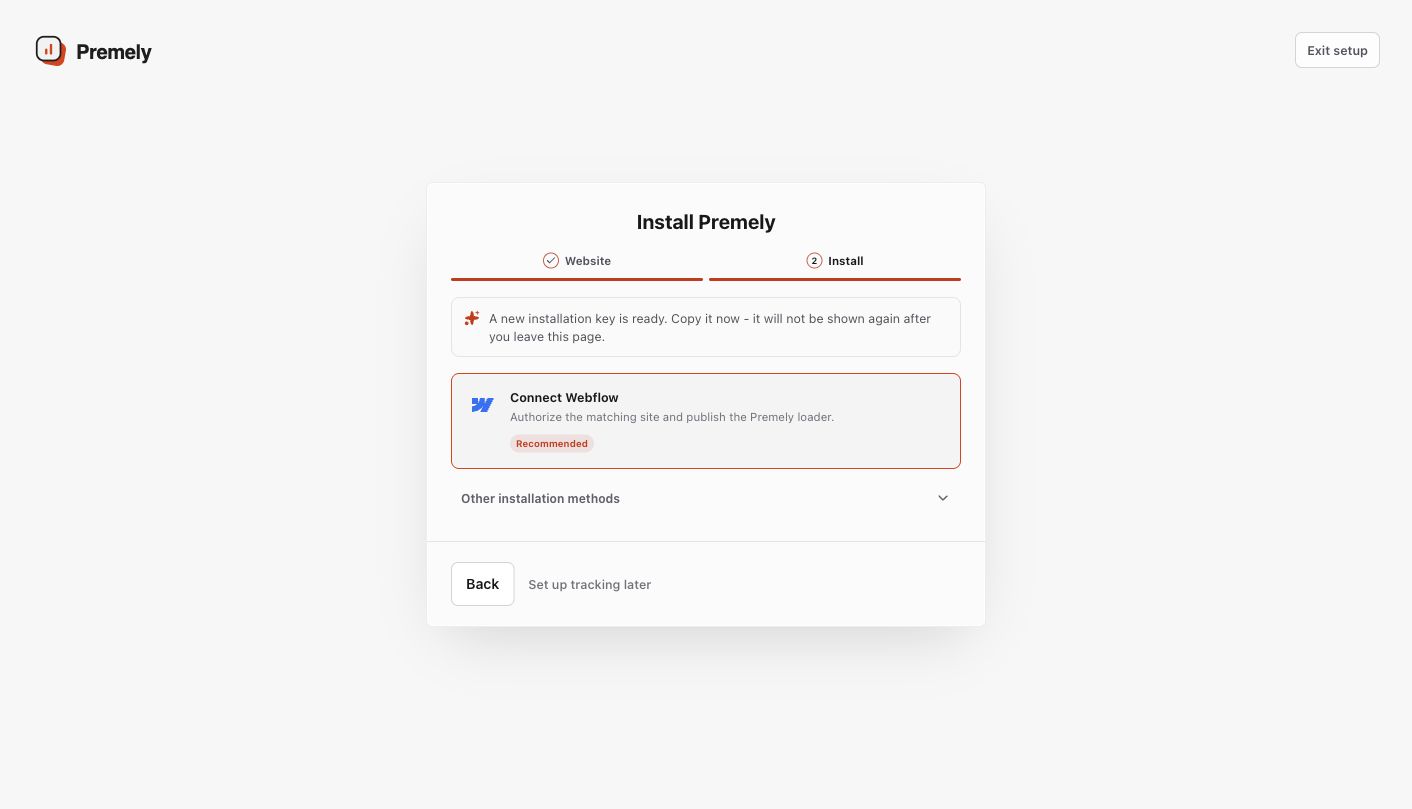
Select Connect Webflow to begin the secure site authorization.
- 2
Confirm the duplicate check
Confirm that Google Tag Manager does not contain another Premely tag, then select Connect Webflow.
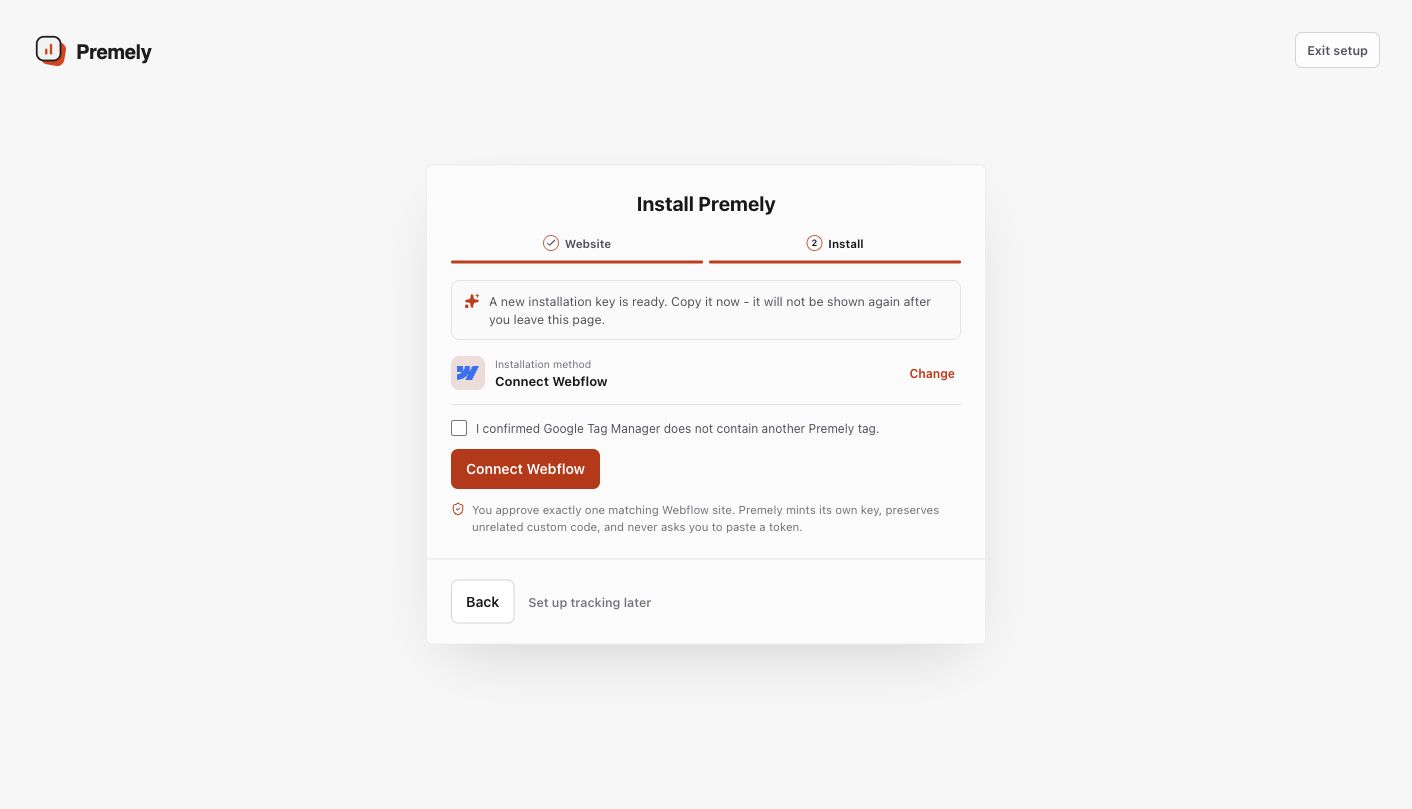
Confirm the duplicate check, then select Connect Webflow.
- 3
Authorize the Webflow site
Continue to Webflow, select exactly one site that matches the Premely site you started with, then select
Authorize Appto grant the site-only access Premely needs to install its loader.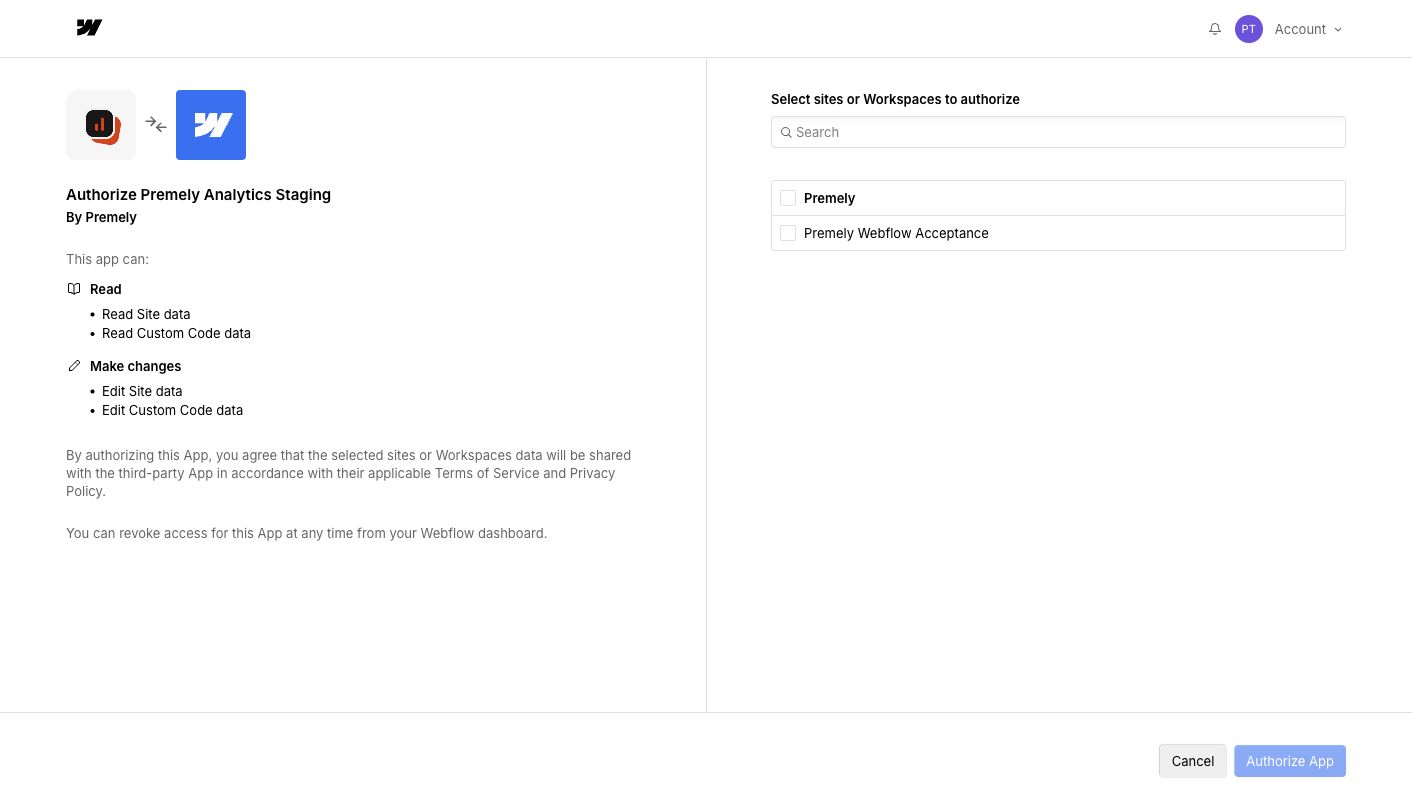
Select the exact site to connect, then select Authorize App.
- 4
Publish the Webflow site
After authorization returns to Premely, go back to the site's settings in Webflow. Open Publish at the top right, select the hostname registered in Premely, then choose Publish to selected domains. Wait for publishing to finish. Publishing a webflow.io staging address does not publish a connected custom domain.
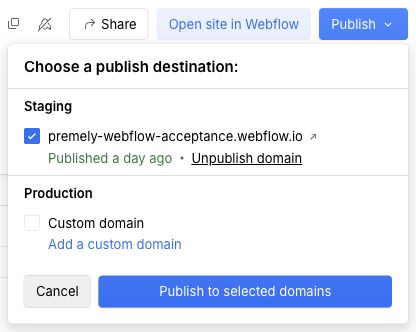
In Webflow Site settings, open Publish and select the hostname registered in Premely. This test site uses a webflow.io hostname; select your custom domain when that is the site you connected.
Webflow test-site dashboard · Captured 2026-08-27
- 5
Verify the first event
Open the published site, then return to Premely and check the connection status for the selected domain.
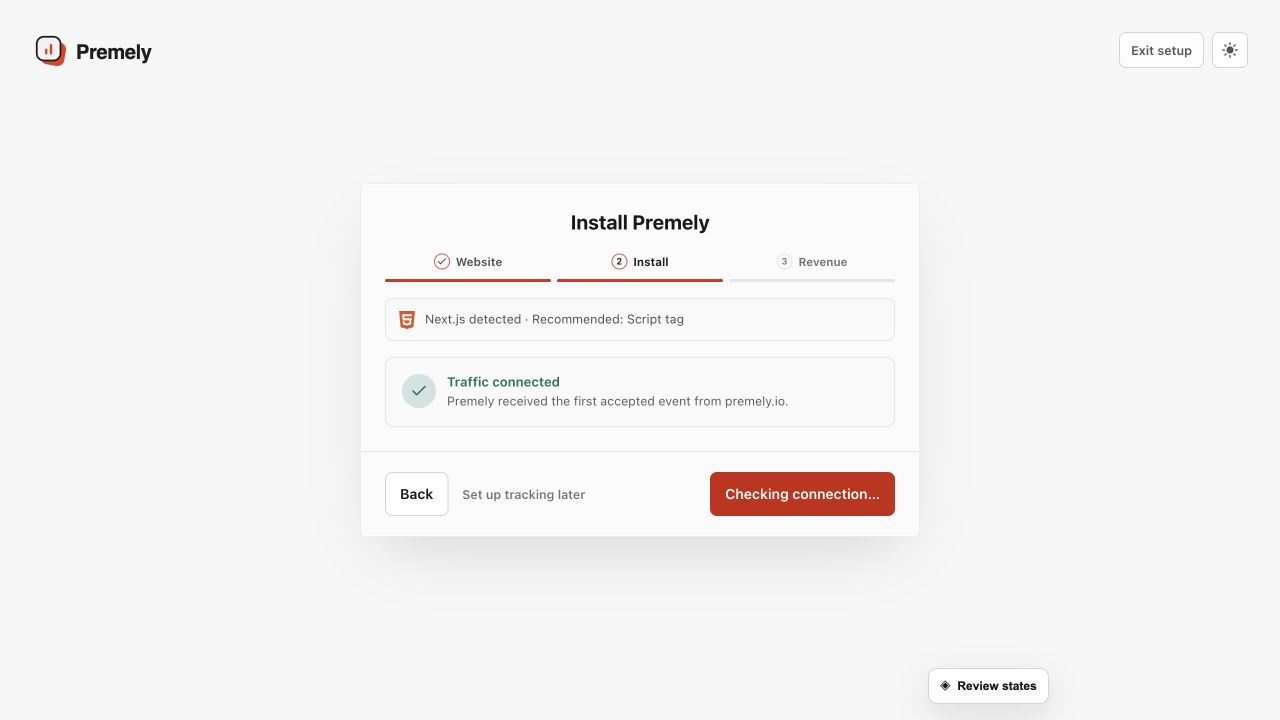
Use the successful connection state as the final installation check, then open the dashboard. Shown in Premely with disposable demo data; your values will differ.
What to expect
The loader is site-wide
One authorised Webflow connection applies the Premely loader across the selected site.
Disconnect removes Premely code first
When you disconnect, Premely removes its own loader before it revokes the provider connection.