
Plugins
Install the JavaScript SDK
Install the official JavaScript SDK for Premely, the revenue-first, privacy-first analytics platform. Use one client-side setup in your website or framework.
- npm

What it is
Premely is a revenue-first, privacy-first analytics platform. @premely/analytics is its official JavaScript SDK, not a separate analytics product. It installs the same tracker used by the direct HTML snippet and platform integrations for sites that manage their own client-side code.
Why use it
Use the SDK when your team wants a package-managed Premely installation in a React, Next.js, Vue, Svelte or other JavaScript application.
Before you start
- Create the site in Premely and copy its public
pm_site_v1_…site key from the setup instructions. - Choose one installation method. Remove a direct script or Google Tag Manager tag before you add the SDK, so the site does not send duplicate pageviews.
- Use the official
@premely/analyticspackage published by Premely on npm. Do not install similarly named third-party packages.
How to use it
- 1
Install the package
Add the official Premely package from
https://www.npmjs.com/package/@premely/analyticsto the website project withnpm install @premely/analytics.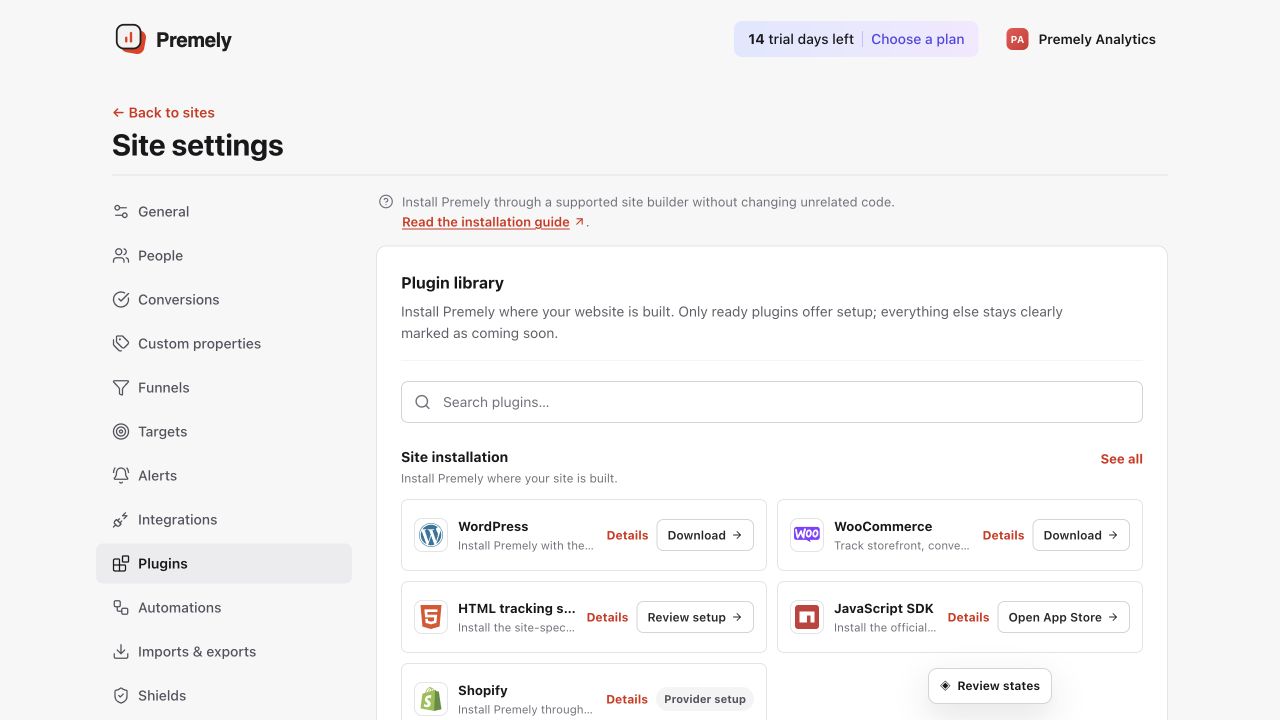
Open the JavaScript SDK option for package and site-key instructions, then verify the public site. Shown in Premely with disposable demo data; your values will differ.
- 2
Run the setup once on the client
Import
installPremelyorcreatePremely, then run the installation once in a client-side mount or hook with the site's public key. The SDK is safe to import in SSR applications and returns immediately on the server. - 3
Keep route tracking automatic
The SDK observes normal browser history changes. Add
pageview()only if your application changes the visible route without updating browser history. - 4
Publish and verify
Deploy the application, visit the public site once, then return to Premely and confirm the connection status.
- 5
Verify the reports, not only the connection
Confirm the pageview reaches Visitors and the page and acquisition reports. Configure one test goal before expecting a custom event in Conversion Rate. Revenue contributes to Revenue and Revenue / Visitor only after the shared revenue and deduplication checks accept it.
What to expect
One configuration stays active
Repeated setup calls with the same configuration reuse the existing tracker. Conflicting site, domain or collector settings are rejected instead of creating a second tracker.
Privacy controls are respected
With the default settings, browser Do Not Track is respected. A consent manager can use setConsent(false) to stop collection and clear unsent events.
One canonical chart system is used
The SDK does not create provider-specific charts. Premely normalizes accepted events into the same visitor, session, conversion, revenue, acquisition and semantic-event contracts used by every integration. Chart avatars require separate stable identity and deterministic linkage; browser tracking never invents a person identity.
Useful ways to apply this
A framework application
Install Premely from one client-side provider or application layout so every published route is measured consistently.
A meaningful product action
Use track() for a clear completed action, keeping event properties short, non-personal and easy to read in reports.