
Conversions
Measure website conversions
Define the actions that matter and turn them into conversion goals.
What it is
Conversion measurement connects a meaningful website action to the reports you use to make decisions. In Premely, an event or page path becomes a conversion goal, and two ordered goals can become a conversion funnel.
Why use it
Use this guide to create a focused conversion measurement plan before you build goals, funnels or ecommerce reporting around it.
Before you start
- Choose one clear completed action, such as a submitted lead form, completed signup or visit to a confirmation page.
- Make sure the action can be observed as a page path or a named custom event before you create a goal.
How to use it
- 1
Start with the completed action
Name the action in plain language. A good conversion tells the team that a visitor completed something meaningful, not just that they clicked a general page element.
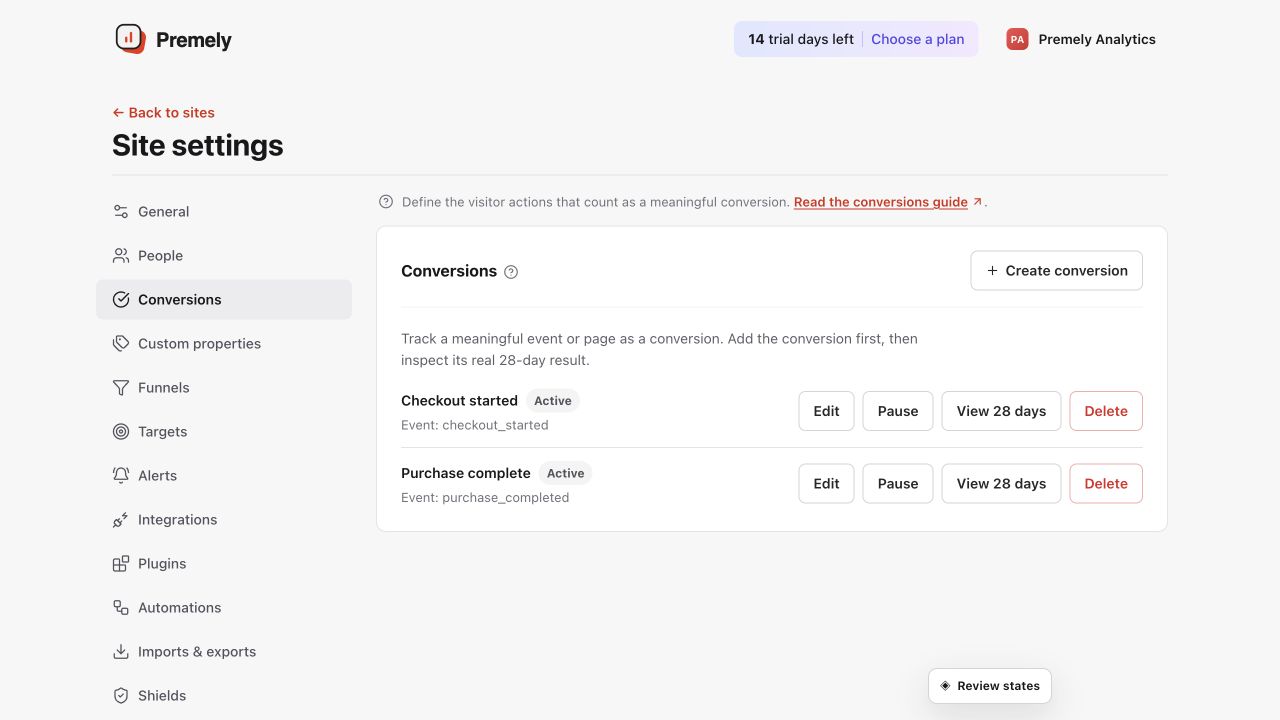
Review the existing goals before creating a new one for a completed, meaningful action. Shown in Premely with disposable demo data; your values will differ.
- 2
Choose the completion signal
Use a page path when a unique completion page represents success. Use a custom
eventwhen the action happens without a unique page, such as a confirmed form submission.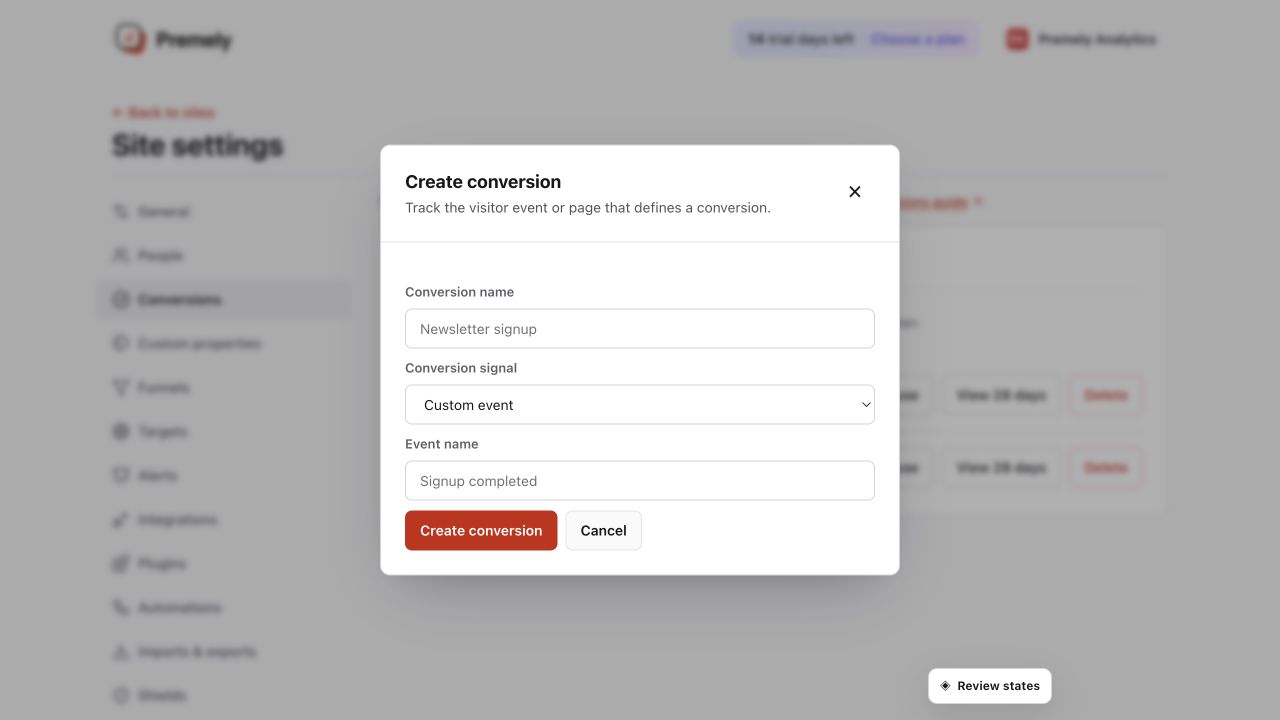
Enter the exact stable event name that your public site sends after a successful action. Shown in Premely with disposable demo data; your values will differ.
- 3
Create one conversion goal
Follow Create a conversion goal to save the action as a reusable goal for the selected site.
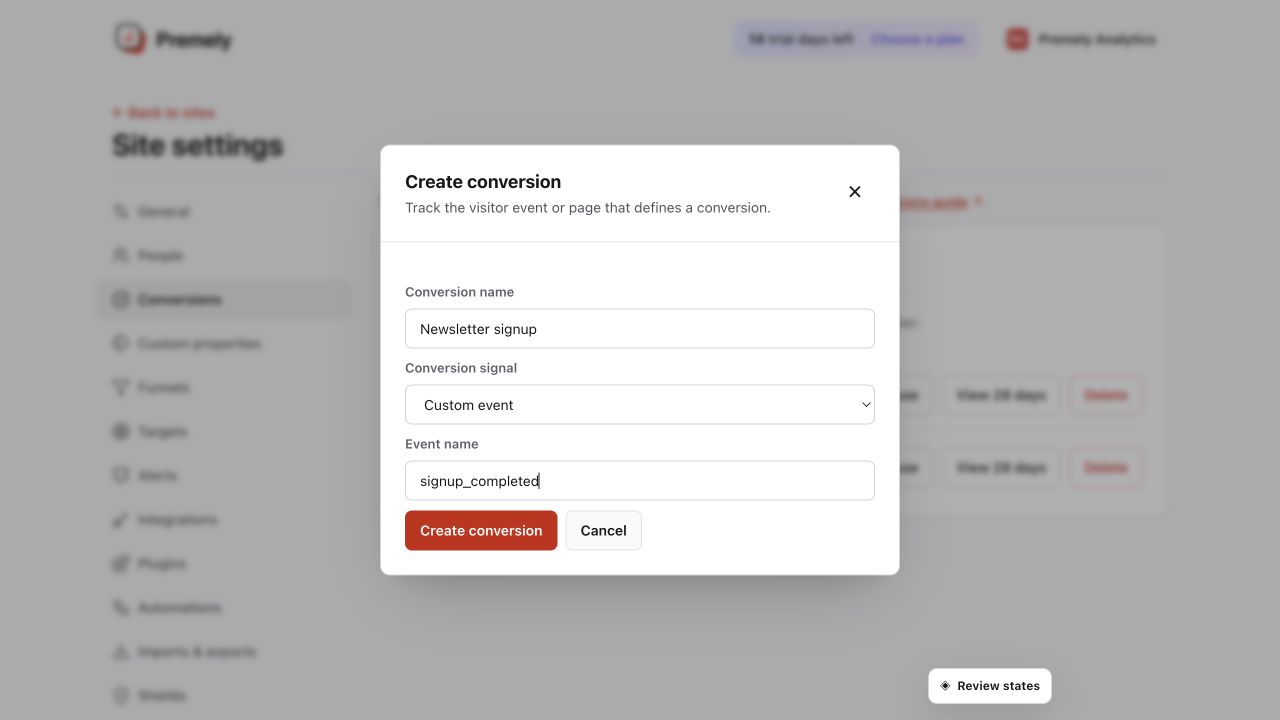
Check the conversion name and exact matching rule before saving. Shown in Premely with disposable demo data; your values will differ.
- 4
Add a funnel when order matters
When visitors should complete one goal before another, use Build a conversion funnel to compare the two steps in order.
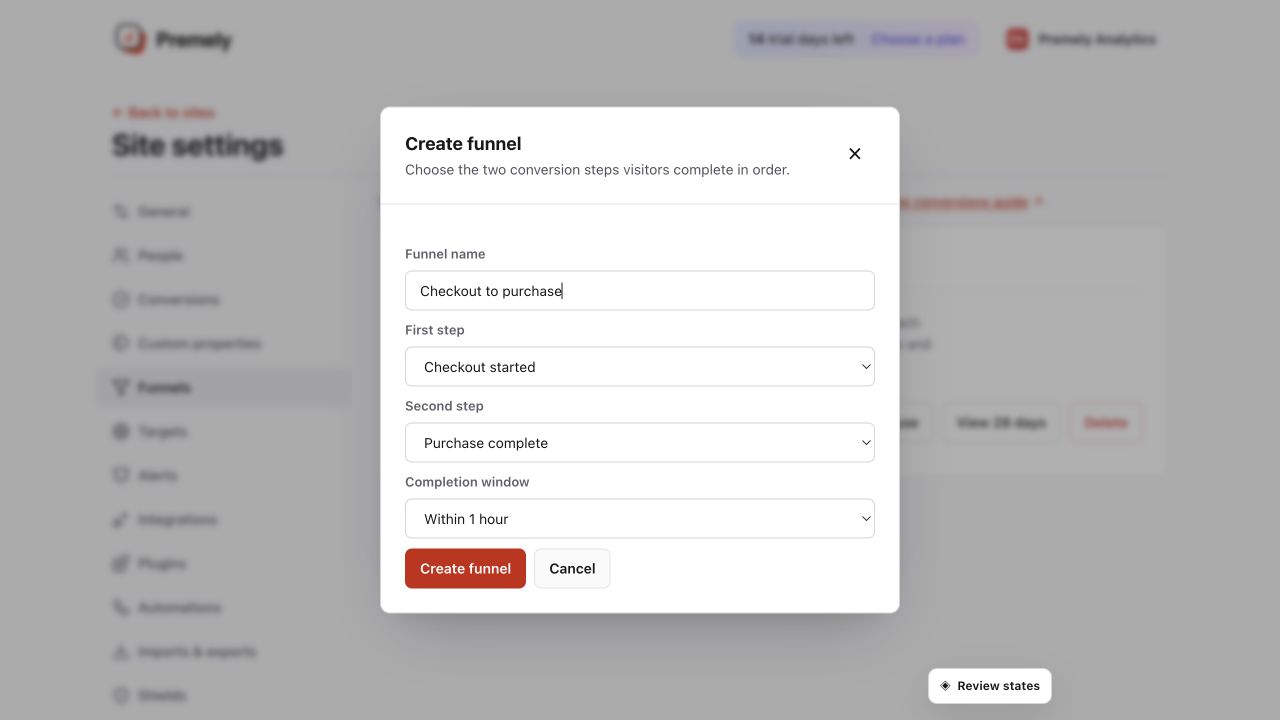
Confirm the ordered steps and realistic completion window before saving. Shown in Premely with disposable demo data; your values will differ.
- 5
Review the result before changing the site
Use conversion results together with traffic and page reports to decide where the journey needs attention.
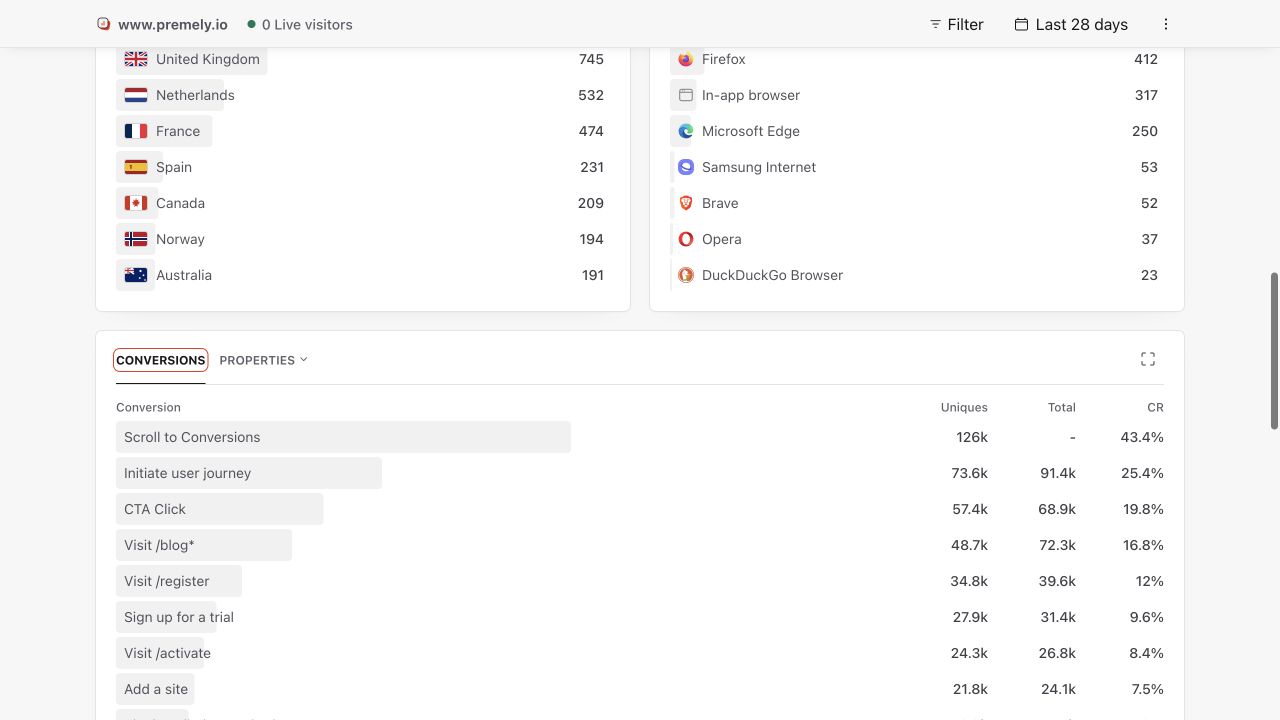
Use the dashboard conversion report to verify results after creating or changing a goal. Shown in Premely with disposable demo data; your values will differ.
What to expect
One goal has one meaning
Keep each goal tied to one completed action. Separate goals make conversion rates and funnel results easier to interpret.
A goal does not create tracking
A page path or custom event must already reach Premely. Creating a goal only tells Premely which existing signal represents completion.
Useful ways to apply this
Lead generation
Measure a verified form submission or thank-you page, then compare the sources and landing pages that lead to it.
A product signup
Measure completed signup separately from a pricing-page view so the team can see where the journey drops off.