
Learn analytics
Understand website event analytics
Read recorded event activity and connect meaningful actions to conversion goals.
What it is
An event is a recorded website action. Pageviews are events, and custom events can record meaningful actions such as a confirmed signup or form submission. Premely excludes its internal engagement signal from the reported event total.
Why use it
Use the Conversions and Properties reports to verify meaningful named actions, understand their activity and analyse privacy-safe context sent with them.
Before you start
- Use stable event names that describe completed actions. Different spellings create different event rows and goal rules.
- Do not send names, email addresses, user IDs, full URLs or other personal information in event names or properties.
How to use it
- 1
Open the Conversions report
Review the named outcomes for the selected period and identify the completed action you expect to see.
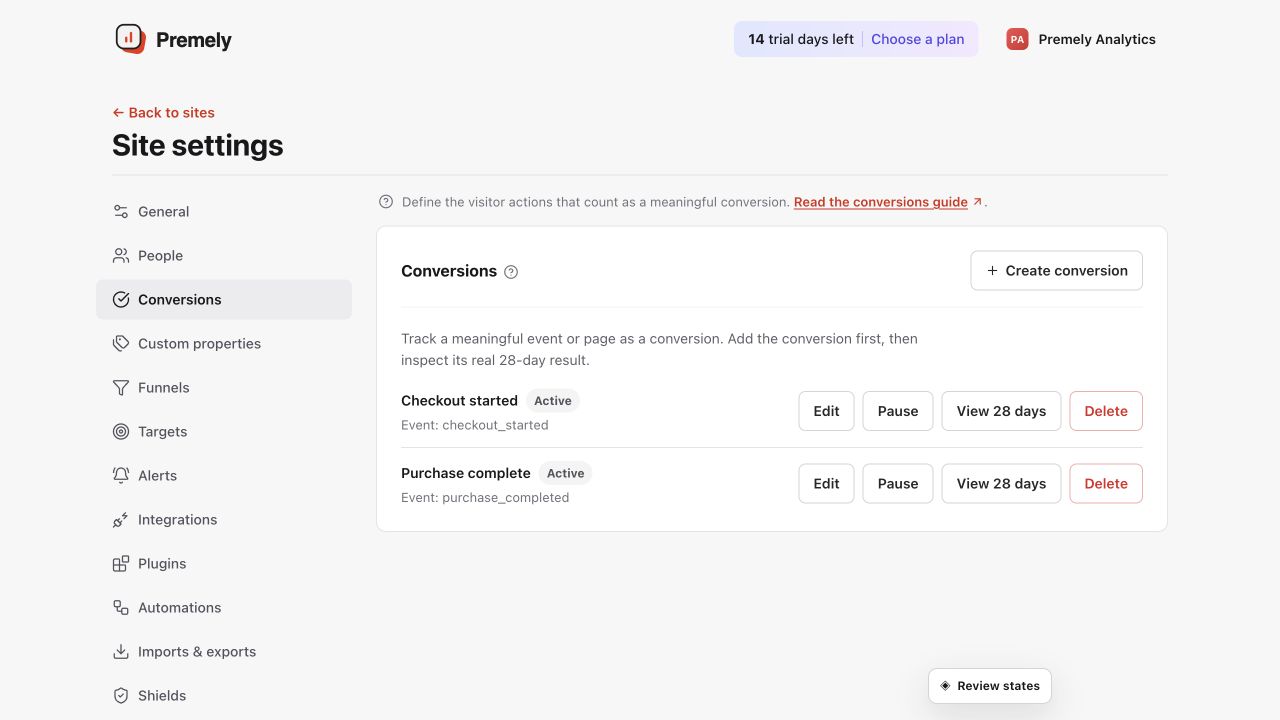
Use the named outcomes to confirm that meaningful events are reaching Premely and matching the intended goals. Shown in Premely with disposable demo data; your values will differ.
- 2
Distinguish pageviews from custom events
A
pageviewrecords a page load. A custom event records a defined action. Use the event name and the implementation that sends it to understand what the count represents. - 3
Create the matching conversion
When the event represents a meaningful completed outcome, follow Create a conversion goal, choose Custom
eventand enter the exact event name. - 4
Verify the completed action
Perform the action once on the public site and confirm its result in Realtime or Conversions. Test success and failure paths so an attempted action is not mistaken for a completion.
- 5
Review properties and conversion totals
Use Properties for privacy-safe context sent with verified events. Conversion results separate unique conversions from total completions so you can understand reach and repetition.
What to expect
An event count is not automatically a conversion
Events describe recorded actions. A conversion goal tells Premely which action represents success for the site.
Interactive events affect bounce rate
A visit with one pageview is not a bounce when it also contains an interactive custom event. Keep event tracking consistent when comparing bounce rate.
Useful ways to apply this
Verify form tracking
Send the event only after the form confirms success, create the matching conversion and verify the result in Realtime or Conversions.
Measure an in-page action
Use a custom event when a meaningful action happens without a new page path, such as completing an embedded signup.