
Conversions
Track custom conversion events
Send a privacy-safe event and use it as a conversion signal.
What it is
A custom event records one meaningful action that does not need a page load, such as a completed form submission, account signup or product interaction. You can then use that event to create a conversion goal.
Why use it
Use a custom event when a unique page path does not reliably represent the action you need to measure.
Before you start
- Choose a stable event name that describes the completed action, not the implementation detail behind it.
- Do not send names, emails, user IDs, full URLs or other personal data in an event name or its properties.
How to use it
- 1
Name the completed action
Choose a consistent name such as
Signup completedorLead submitted. Reuse the exact name whenever the same completion happens. - 2
Send the event from the site
In a JavaScript application, use the SDK's
track()call. In Google Tag Manager, create a second Premely Analytics tag with Custom event selected and attach it to the relevant GTM trigger. - 3
Keep properties safe and useful
Use only short strings, finite numbers, booleans or
nullfor optional context. Do not send nested data or personal information. - 4
Create the matching conversion
Open Conversions in site settings, choose Custom
eventand enter the exact event name your site sends.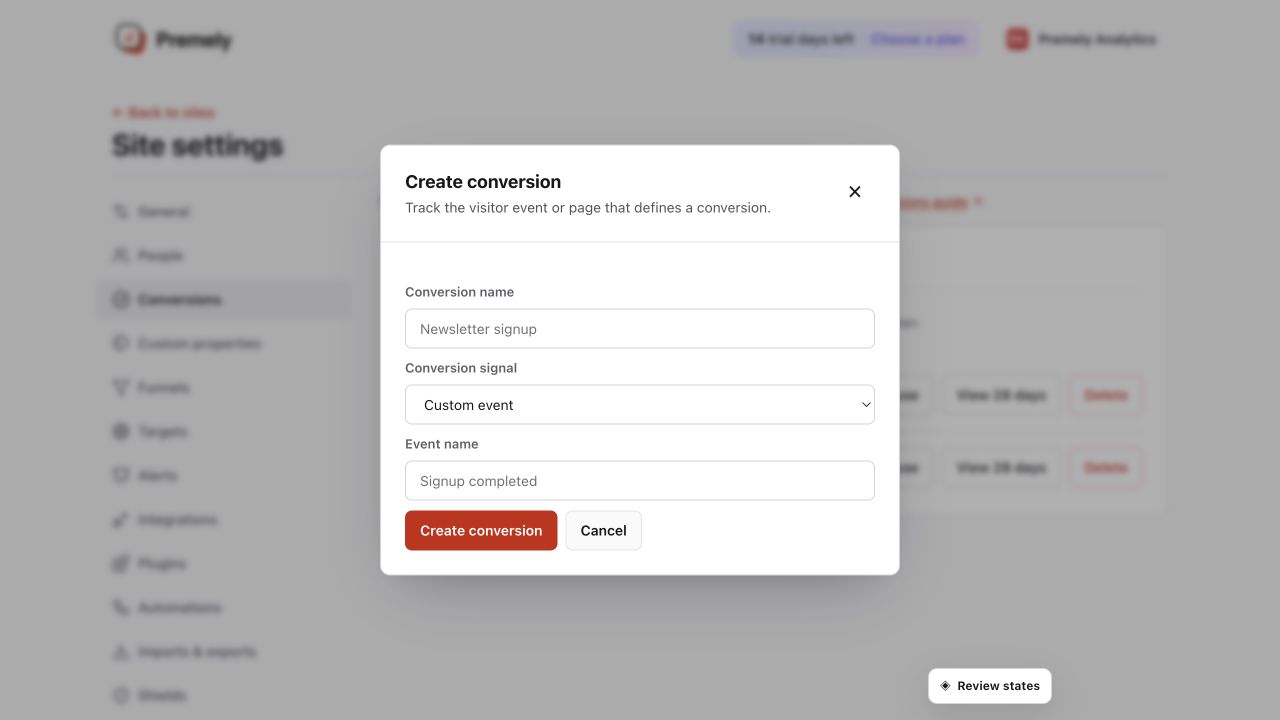
Enter the exact stable event name that your public site sends after a successful action. Shown in Premely with disposable demo data; your values will differ.
- 5
Verify the result
Complete the action once on the public site, then confirm it in Realtime or the matching dashboard conversion. Test the unsuccessful path too, so an attempted action is not counted as a completion.
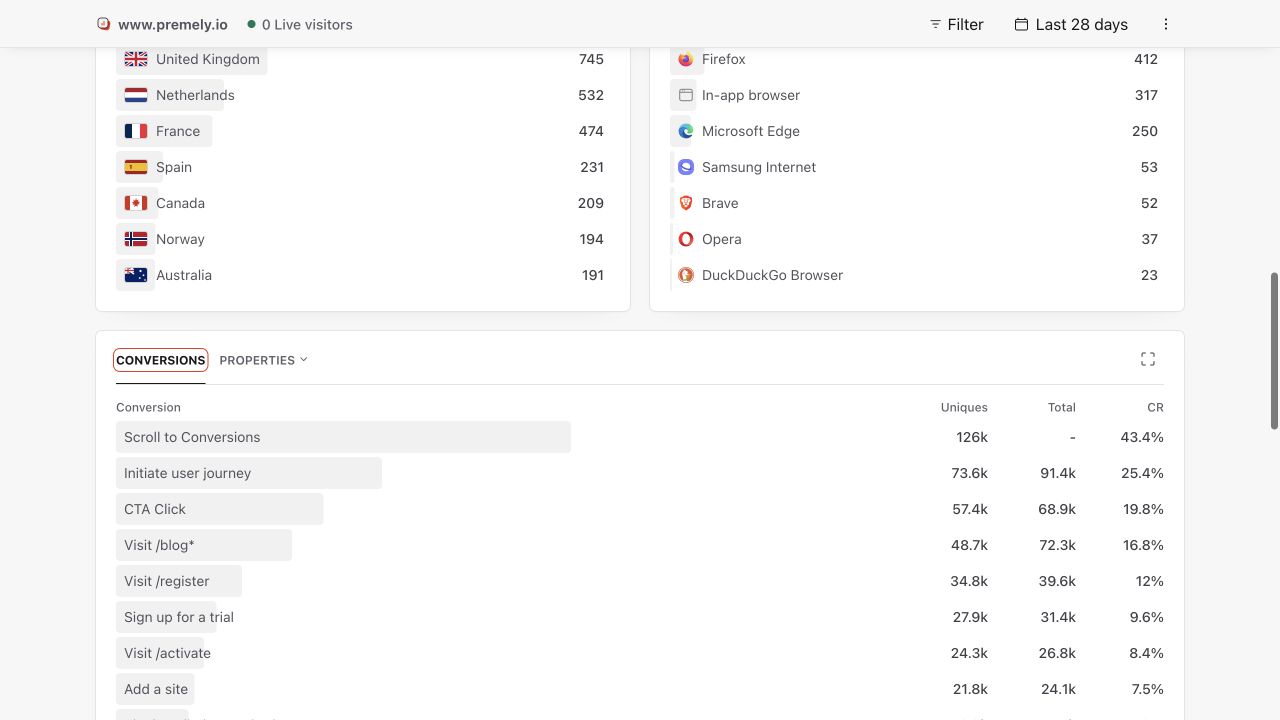
Use the dashboard conversion report to verify results after creating or changing a goal. Shown in Premely with disposable demo data; your values will differ.
What to expect
Event names must match
A conversion goal matches the event name you define. A different spelling or name represents a different action.
Privacy controls still apply
When consent is denied, Premely stops pageviews and custom events. With the default SDK settings, browser Do Not Track is also respected.
Useful ways to apply this
A form without a thank-you page
Send Lead submitted only after the form confirms success, then create a matching conversion goal.
A product activation step
Track a meaningful in-product completion after signup when the action happens without a route change.