
Plugins
Install Premely on WordPress and WooCommerce
Install Premely's official WordPress plugin for revenue-first, privacy-first analytics. Optionally measure WooCommerce product, cart, checkout and order events.
- WordPress
- WooCommerce


What it is
Premely is a revenue-first, privacy-first analytics platform at premely.io. Its official WordPress plugin, named Premely Analytics in WordPress, installs the same Premely tracker used by other platforms. The optional WooCommerce bridge records supported product, cart, checkout and completed-order events with bounded values. It is an analytics plugin, not an identity-verification or KYC service.
Why use it
Use the plugin when you manage a WordPress site and want the shortest setup path without editing theme files.
Before you start
- Create the public domain as a site in Premely and keep its public site key ready.
- Remove any existing Premely script or Google Tag Manager tag before enabling the plugin.
How to use it
- 1
Add the Premely Analytics plugin
Use the official plugin download supplied by Premely's WordPress setup, then upload the ZIP in WordPress under Plugins, Add New Plugin, Upload Plugin and activate
Premely Analytics. Verify that the publisher and links point to Premely at premely.io. Do not assume that a similarly named search result is the official plugin or that a WordPress.org listing is available.
Captured from a disposable WordPress 7.1 and WooCommerce 10.9.4 site. The active state is shown by the Deactivate action.
- 2
Open the plugin settings
Go to Settings, then Premely Analytics. Enter the registered public domain and its public site key.
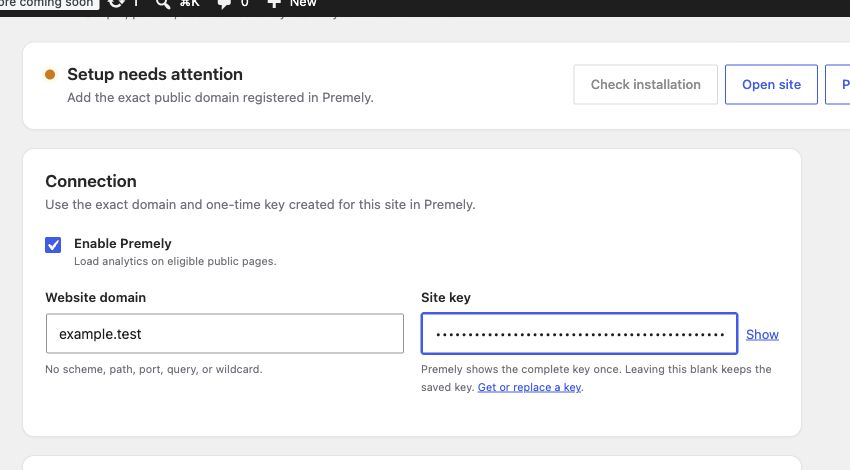
Captured from a disposable local site. The example.test status is intentionally not verified; use the exact public domain registered in Premely.
- 3
Review WooCommerce tracking
If the site uses WooCommerce, keep the WooCommerce commerce setting enabled to measure supported product, cart, checkout and completed-order events.
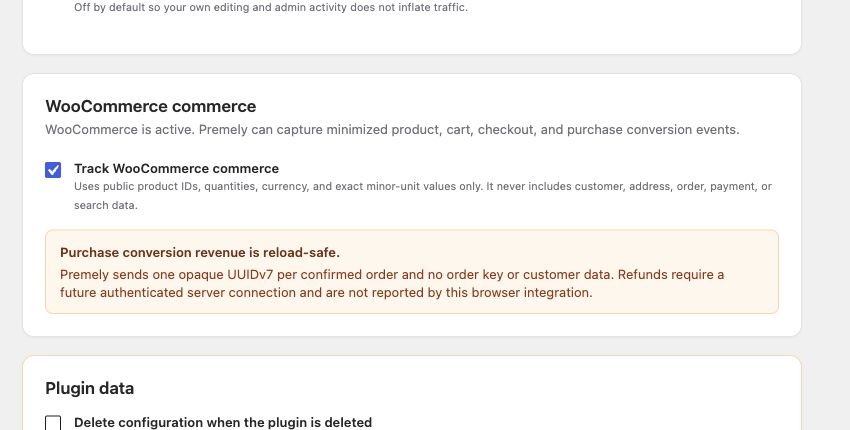
Captured from the official plugin settings page with WooCommerce active. The plugin does not send customer, address, order, payment or search data.
- 4
Visit the public site and verify
Open the logged-out public site once, then return to Premely and confirm the connection status.
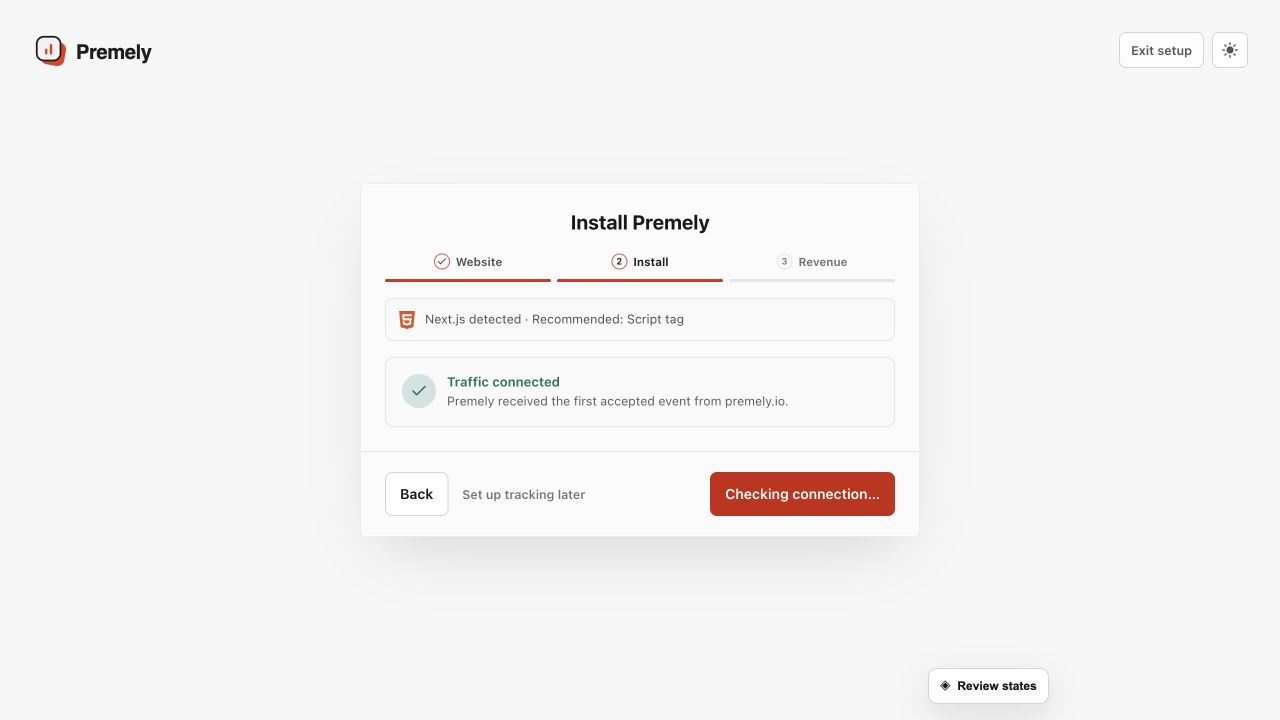
Use the successful connection state as the final installation check, then open the dashboard. Shown in Premely with disposable demo data; your values will differ.
What to expect
The plugin uses one site context
The entered domain and public site key must belong to the same Premely site. The plugin validates this before it sends tracking data.
WooCommerce uses order completion
WooCommerce revenue is based on completed-order conversion data. It is not a replacement for a payment ledger or refund management system.
Useful ways to apply this
A WordPress marketing site
Add the plugin once, then use Premely reports to understand acquisition, content performance and goals.
A WooCommerce storefront
Use product, cart and checkout events to build goals and conversion funnels around a shopper journey.