
Conversions
Build a conversion funnel
Compare two ordered goals to see the next step visitors complete.
What it is
A funnel compares two active goals in order. It helps you understand whether visitors who complete the first action also complete the next one.
Why use it
Use a funnel when one action naturally follows another, such as viewing pricing before completing a signup.
Before you start
- Create and activate the two goals you want to compare.
- Choose goals that happen within the same visitor journey. Cookie-free measurement supports completion windows up to one day.
How to use it
- 1
Open Funnels
From the site settings, open Funnels and choose Create funnel.
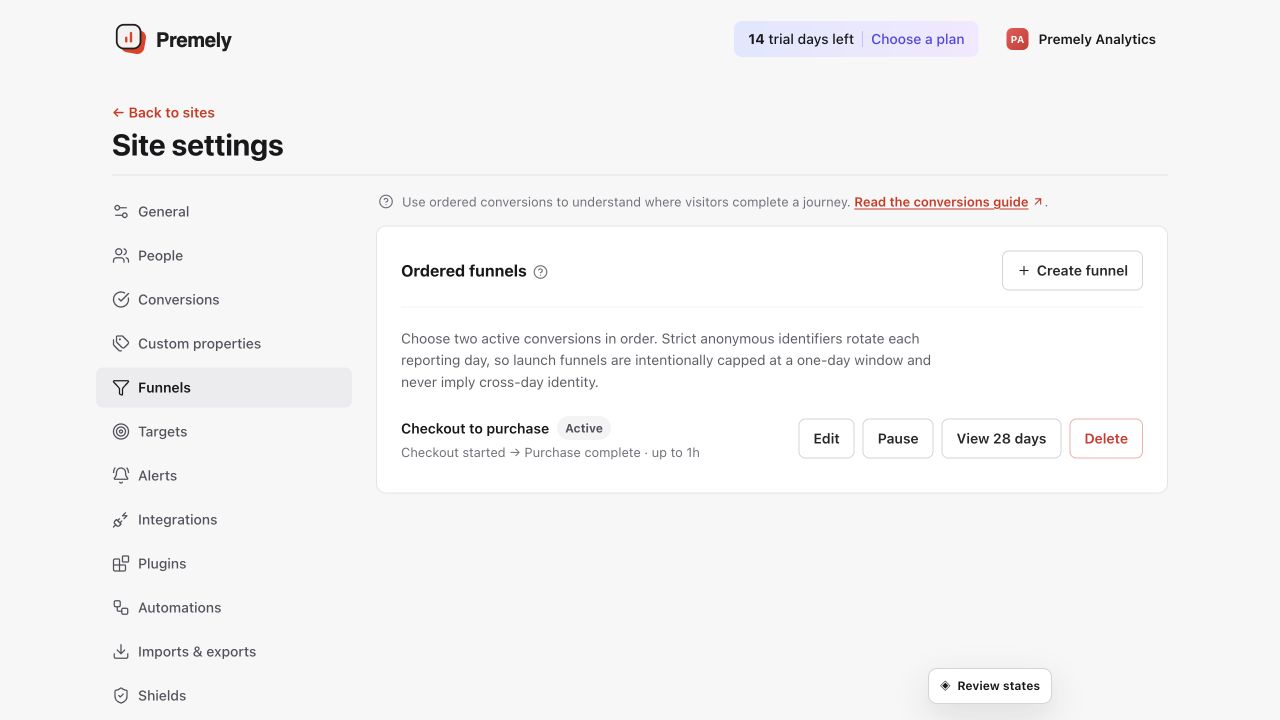
Review the existing funnels first, then create a new one only when two active conversions form a meaningful journey. Shown in Premely with disposable demo data; your values will differ.
- 2
Set the first and second goals
Choose the two active goals in the order visitors should complete them.
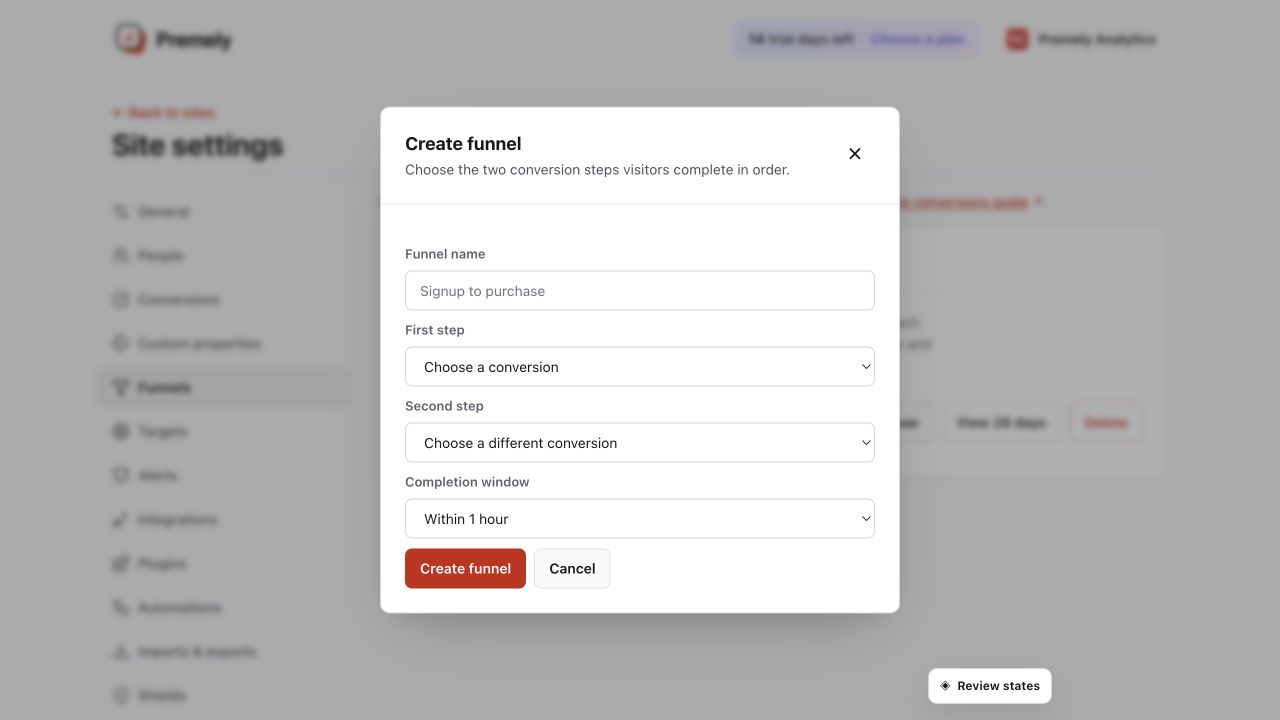
Select two existing conversions in the intended order and choose a realistic completion window. Shown in Premely with disposable demo data; your values will differ.
- 3
Choose the completion window
Select 1 hour, 6 hours or 1 day. Use the shortest window that matches the journey you are measuring.
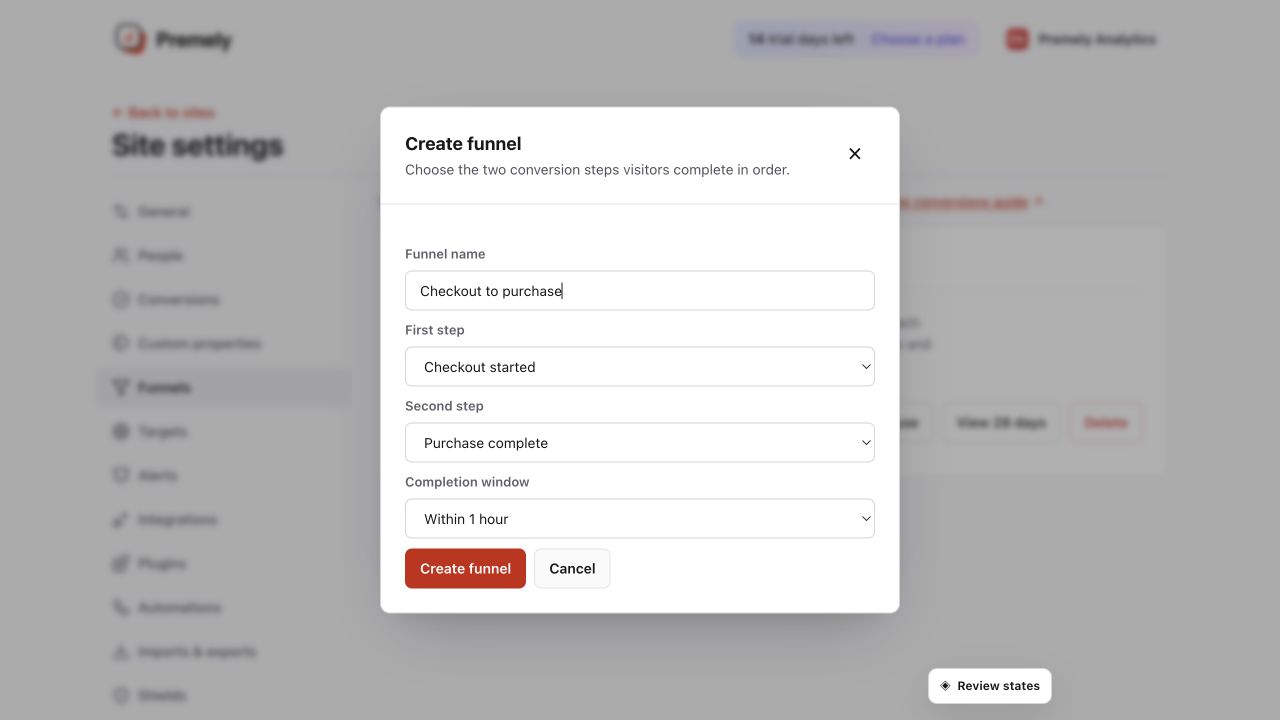
Confirm the ordered steps and realistic completion window before saving. Shown in Premely with disposable demo data; your values will differ.
- 4
Review and maintain the funnel
Review results, then edit, pause, resume or delete the funnel as the website journey changes.
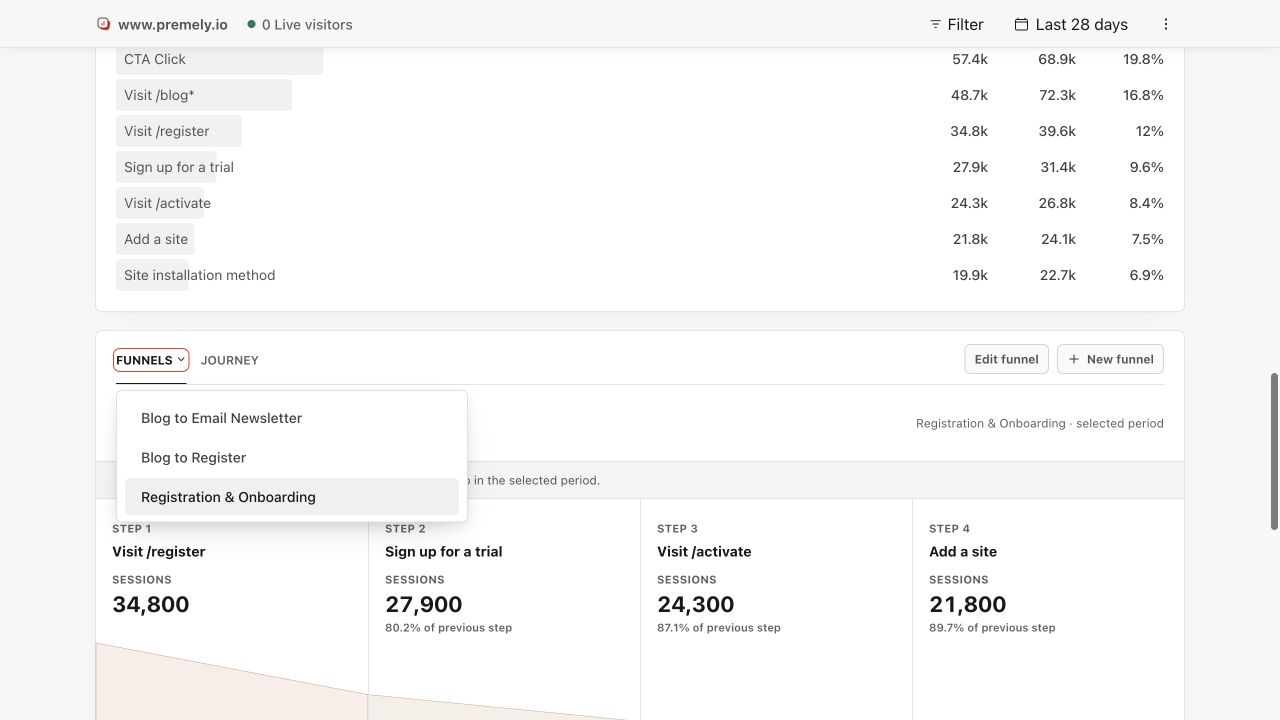
Use the dashboard funnel report to compare ordered-step completion for the selected period. Shown in Premely with disposable demo data; your values will differ.
What to expect
Funnels currently have two steps
Funnels measure two ordered active goals. They do not support longer or cross-day journeys.
A window changes the question
A one-hour window answers a different question from a one-day window. Keep the setting stable when you compare results over time.
Useful ways to apply this
Signup journey
Compare a pricing-page goal with a completed-signup goal.
Lead journey
Compare a contact-form start event with a completed-submission event.